There are so many ways you can use your favorite techy gadget to save you money. If you are going to take it everywhere you go, why not put it to work for something besides Facebook or Angry Birds? Here are some ways your smartphone can save you money that you may not have thought of!
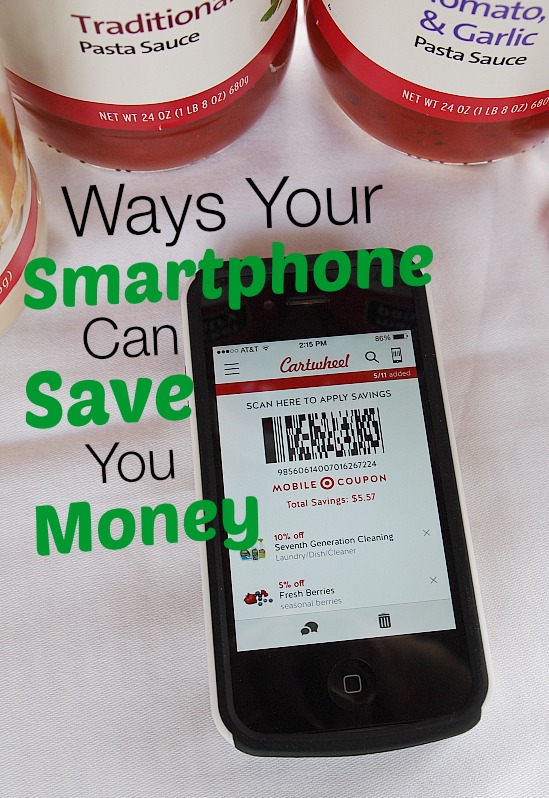
Ways Your Smartphone Can Save You Money
Disclosure: This post may contain affiliate links to Amazon and/or Etsy, which means that I may earn a small commission from some of the links in this post. Please see our Disclosure Page for more information.
1. Apps, apps and more apps. Everyone knows that the best thing about having a smartphone is all the fun apps you can put on it to simplify life and keep you entertained. However, did you know there are apps out there to help you find the best price of gas in your area (Gas Buddy)? Or how about apps designed to do the price matching for you when you head out to buy groceries (Favado)? There’s an app that gives your rebates on purchases (Ibotta). Target has a mobile coupon app that will save you money (Cartwheel). Most of these apps are free, and they will help you keep your finances in check.
2. Use your calculator function. The calculator on your smartphone is one of the best ways to make sure you stay in budget. Just use it while you go through the store and add up things as you go along or figure out exactly how much a % off is (this is especially good if you’re not great at math). This way, there are no surprises when you get to the register on what you will be paying and you can better monitor if something is really a good deal.
3. Use your smartphone as a camera. No need to buy a fancy camera. These days smartphones take great photos and there are several apps that you can use to edit your photos to make them even better.
4. Look up digital coupons and deals in-store. Many times, advertisers do not advertise some of the deals they have. Instead, they have them available only if you search them out online. Google digital coupons that can be used right at the register while you check out. Also, find out if your favorite stores do digital text coupons. One store, Target, has an SMS text service that will send those that subscribe coupons periodically that contain a QR or Bar code that can be scanned for savings.
5. Track your spending with your smartphone. If you are trying to keep your budget in check, getting an app that allows you to track your spending, such as the one from MINT.com, will help you do that. MINT’s app allows you to track spending, deposits and more while keeping an eye on all your bank activity. OneReceipt let’s you track your spending by taking a photo of your receipt & uploading it to your account.
6. Save money on gas AND not buying a GPS system by using your phone’s navigation. Typically, most smartphones have built in navigation or you can get a free app. Even if you are not new to your area, you may be taking the longer way around to your destinations. Use your navigation to find routes that are the quickest way to get to any destination thereby saving you not only time, but gas.
7. Use your smartphone to compare prices. If you really like to compare prices, but don’t want to drive from store to store, use your smartphone at one store to look up prices at nearby competitors for their prices on the same item. You may find that you are already holding the lowest price on that item, and which case you just saved time and money by not having to drive all over. Plus, your smartphone gives you the ability to not only compare brick and mortar store prices, but also hunt for a better deal online. Use the lower price to price match!
Hope this gives you some new ideas. How do you use your smartphone to save you money?
Great tips! We use Mint and love it! I also use the Target Cartwheel app.
Good hints except I don’t know how to do the apps and all that stuff! LOL I can talk, call, take photos and download them and that’s about it. When I want something done, I just hand it to one of my granddaughters and say do it. That’s so much faster.
Judy
LOL! I do the same thing with my daughter. I don’t know what I’m going to do when she moves out. She’s always the one that gets the text message deals and she has all the apps on her phone!
I don’t have a smart phone. I have a stupid one. .
I know it’s stupid because at least once I day, I find myself muttering… “now where did I put that stupid phone…”
It’s also stupid because it doesn’t have an “I” in front of it and has no bells and whistles, just a keyboard . If I ever get one, I will remember these tips. I especially like the one about comparing prices.
That’s ok. I forget to take mine with me half the time and hardly use it. I usually have my “tech help” with me (my daughter). She has all the apps and does all the price comparisons on her phone. Being able to do price comparisons is really helpful. She just bought a sonic care toothbrush at Target and got it at a lower price because Target price matches Amazon. All they needed was to see the price on her phone!
I use mine constantly and ALWAYS have it with me:) Enjoy your day dear friend, BIG HUGS!
I’m known for leaving my phone at home! I really would be very happy to not have a cell phone at all. But that’s unrealistic and they really are so handy. My daughter uses hers all the time to look up prices when we’re out shopping. She’s always checking amazon. Actually we’ve gotten quite a few things price matched at Target because they price match Amazon!
These are great tips an many I didn’t even think about.
Cynthia